Auto-Detected Extensions

Four integrations that appear when their CRDs are present. No configuration required.

The dashboard checks for known CRD groups at startup. If the CRDs exist, the corresponding UI section appears in the navigation automatically. If they don't, the section is hidden. Nothing to configure, no environment variables to set.

4 Integrations
0 Configuration Required
CRD Auto-Detection
Live Real-Time Data

How Auto-Detection Works

On startup, the API backend queries the Kubernetes discovery API for known CRD groups. If the group is present, the corresponding navigation item and API routes are activated. If not, the section is silently omitted. No restart required once a CRD is installed — a page refresh is enough.

Extension CRD Group Detected UI Section Status
Certificate Manager cert-manager.io Certificates, Issuers, ClusterIssuers Auto-detected
MetalLB metallb.io IP Address Pools, L2 Advertisements Auto-detected
Kubescape Security spdx.softwarecomposition.kubescape.io Compliance scores, CVE findings Auto-detected
Gateway API gateway.networking.k8s.io GatewayClasses, Gateways, HTTPRoutes Auto-detected
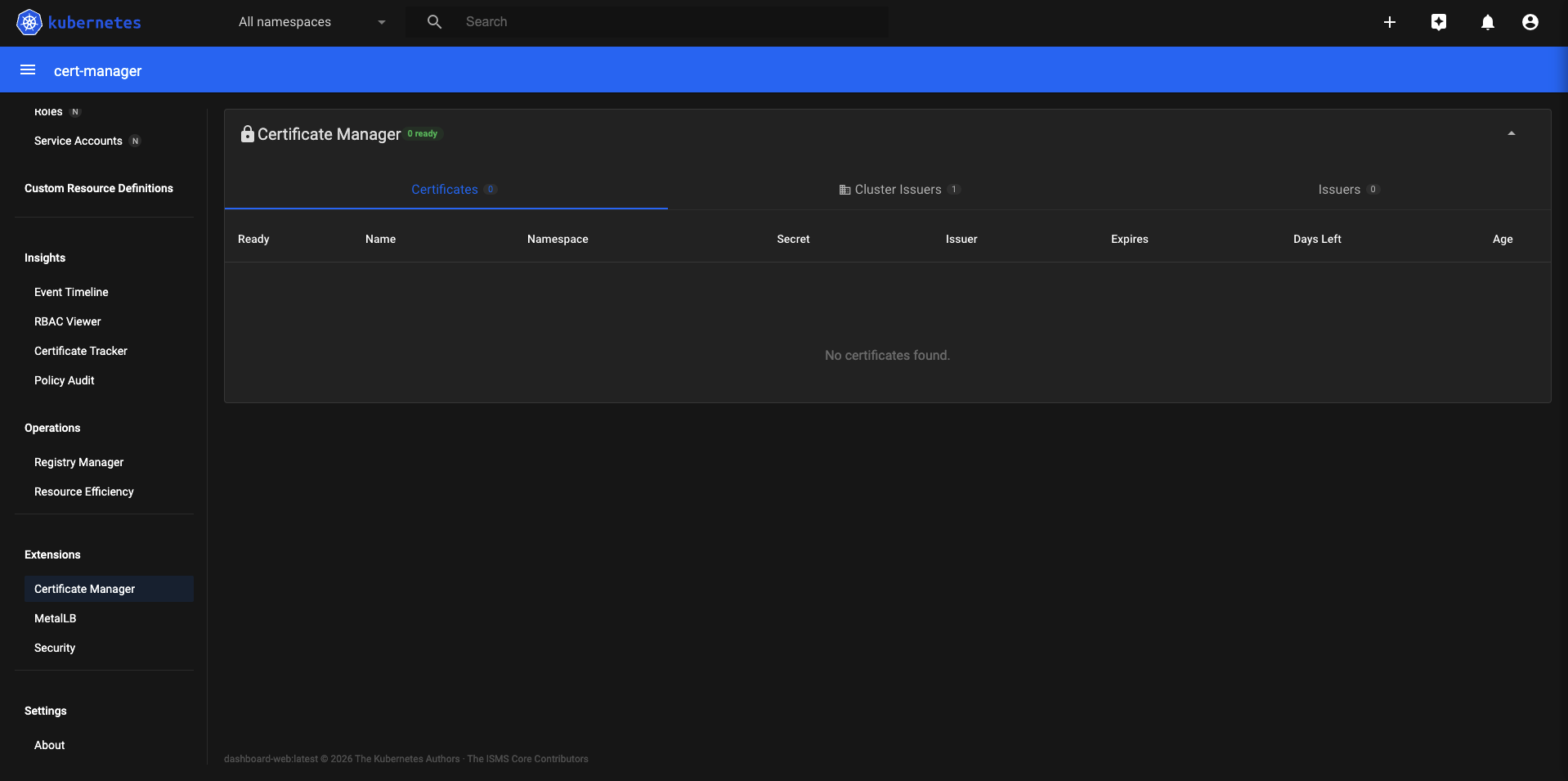
Certificate Manager — cert-manager Certificates, Issuers, and ClusterIssuers
Certificate Manager — Certificates, Issuers, ClusterIssuers
cert-manager.io

Certificate Manager

When cert-manager CRDs are detected, a dedicated Certificate Manager section appears with full read access to all cert-manager resources. See certificate status, renewal timelines, issuer health, and ACME challenge state — without needing kubectl or cmctl.

  • Certificates — status (Ready/NotReady/Expired), secret name, issuer ref, renewal time, and expiry
  • Issuers — per-namespace ACME and CA issuers with Ready/NotReady status
  • ClusterIssuers — cluster-scoped issuers, same detail level as Issuers
  • Auto-detected — section appears when cert-manager.io CRD group is present
  • Read-only — no cert-manager actions are exposed through the dashboard

To install cert-manager: kubectl apply -f https://github.com/cert-manager/cert-manager/releases/latest/download/cert-manager.yaml
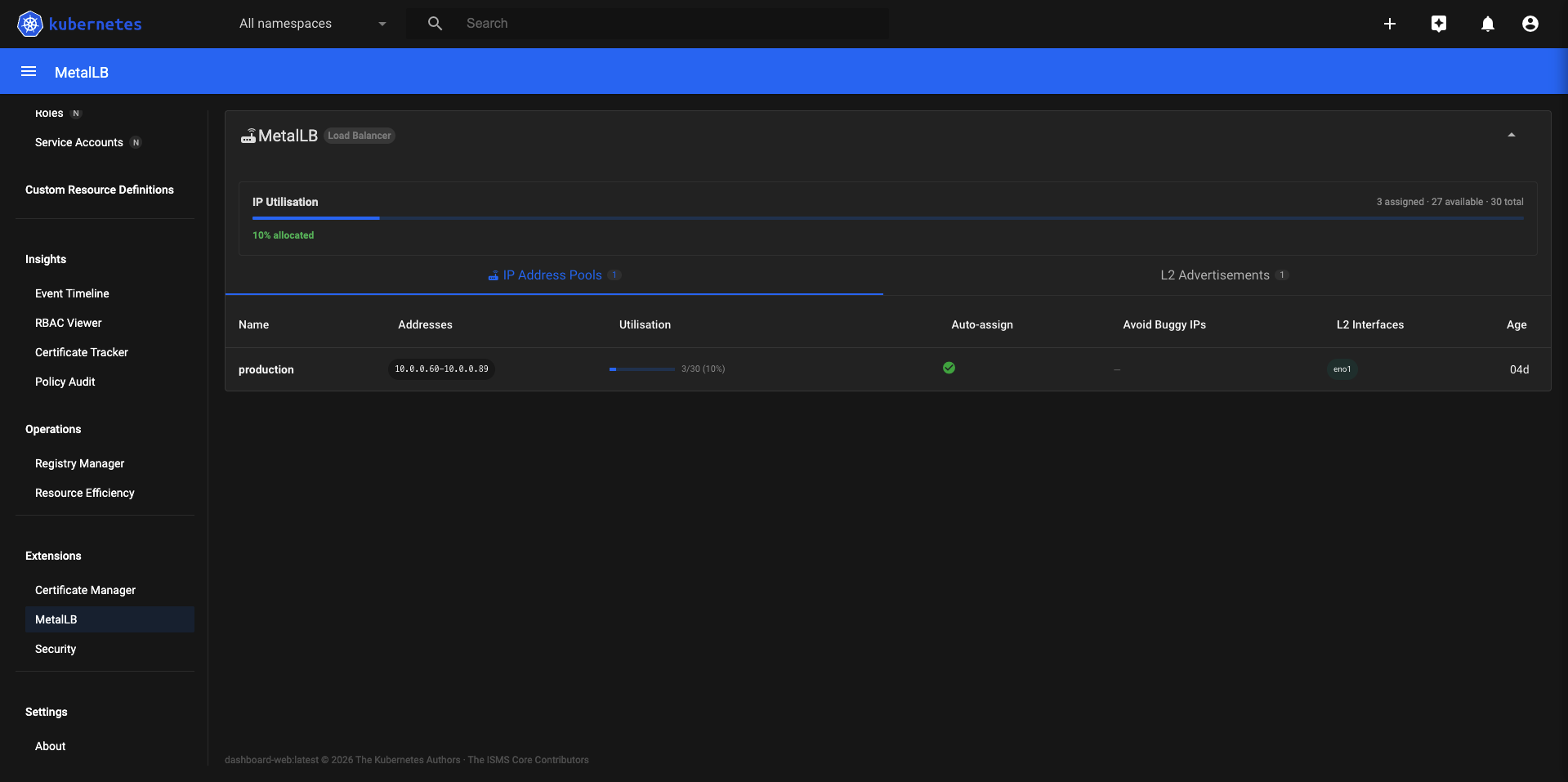
MetalLB — IP Address Pools and L2 Advertisements
metallb.io

MetalLB

Clusters running MetalLB get a dedicated load balancer management view. See all IP Address Pools, their configured ranges, and which pools are being advertised via L2. Useful for understanding address allocation without kubectl-ing through MetalLB CRs.

  • IP Address Pools — name, address ranges, auto-assignment status
  • L2 Advertisements — which pools are advertised and via which interfaces/nodes
  • Auto-detected — section appears when metallb.io CRD group is present
  • Works with MetalLB in both Layer 2 and BGP mode (L2 Advertisements shown for L2 mode)
  • Read-only — pool configuration is not editable through the dashboard

To install MetalLB: kubectl apply -f https://raw.githubusercontent.com/metallb/metallb/main/config/manifests/metallb-native.yaml

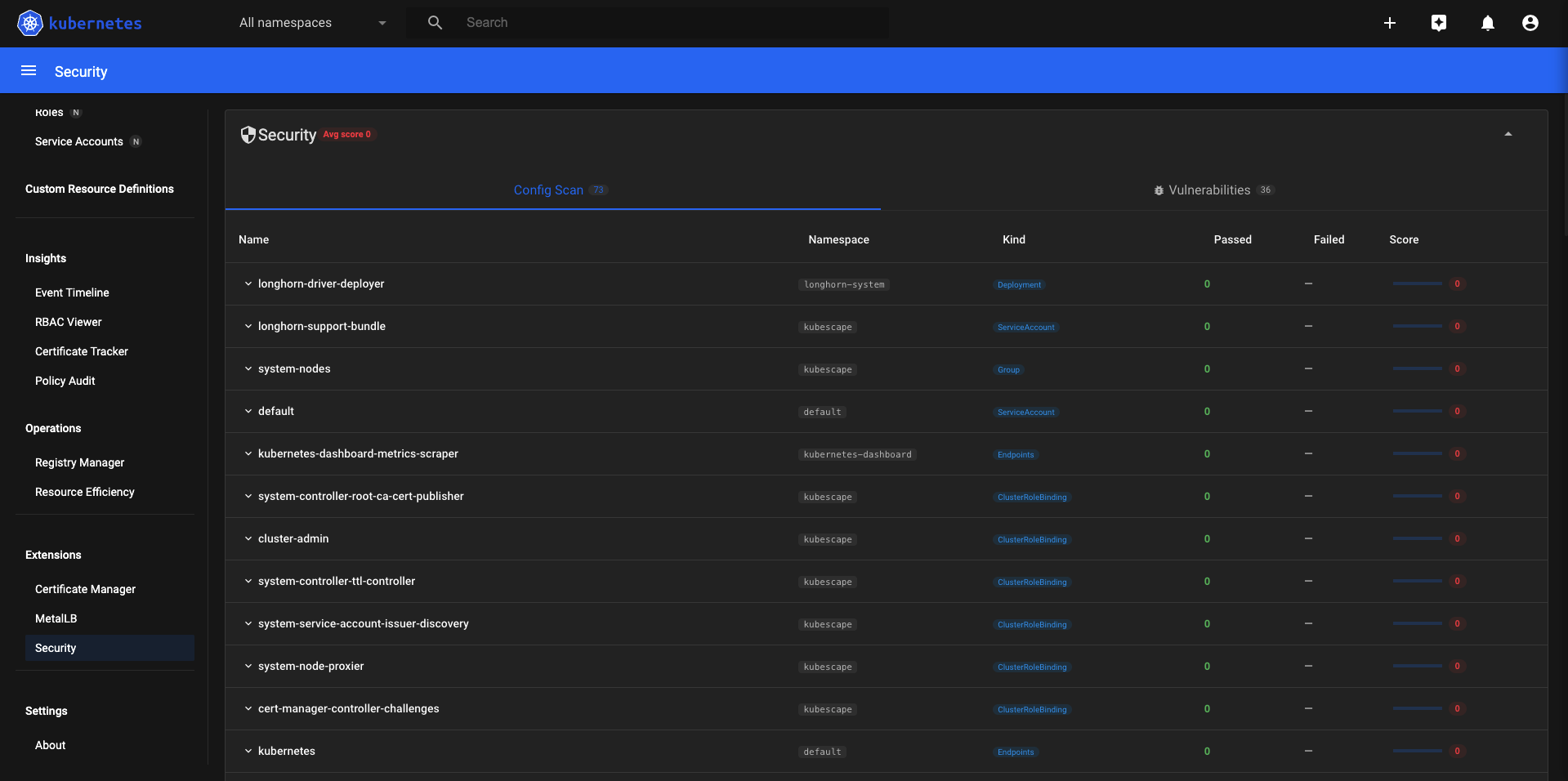
Kubescape Security — compliance scores and CVE findings
Kubescape — compliance scores and CVE findings
spdx.softwarecomposition.kubescape.io

Kubescape Security

When the Kubescape Operator is running, the dashboard reads its scan results and surfaces them as compliance scores and CVE findings per workload. No separate Kubescape UI needed — security findings appear inline alongside the resource data you already have.

  • Compliance scores per workload based on Kubescape framework checks (NSA, MITRE, CIS)
  • CVE findings: severity, CVE ID, affected package, and fixed version
  • Risk summaries: critical, high, medium, low counts per namespace
  • Auto-detected — section appears when spdx.softwarecomposition.kubescape.io CRDs are present
  • Data is read from Kubescape CRs — the dashboard does not run its own scans

To install Kubescape Operator: helm upgrade --install kubescape kubescape/kubescape-operator -n kubescape --create-namespace

Gateway API Screenshot coming soon
gateway.networking.k8s.io

Gateway API

Clusters using the Kubernetes Gateway API get a dedicated section for GatewayClasses, Gateways, and HTTPRoutes. As Gateway API continues to replace Ingress as the standard traffic management model, this view grows with it.

  • GatewayClasses — cluster-scoped infrastructure definitions with controller name and status
  • Gateways — listener configuration, addresses, and conditions per Gateway
  • HTTPRoutes — rule sets, parent refs, and backend service bindings
  • Auto-detected — section appears when gateway.networking.k8s.io CRDs are present
  • Works with any conformant Gateway API implementation (Envoy Gateway, Istio, Nginx, Traefik, etc.)

To install Gateway API CRDs: kubectl apply -f https://github.com/kubernetes-sigs/gateway-api/releases/latest/download/standard-install.yaml

Ready to deploy?

Five pods. One kubectl apply. Extensions appear automatically as you add tools to your cluster.