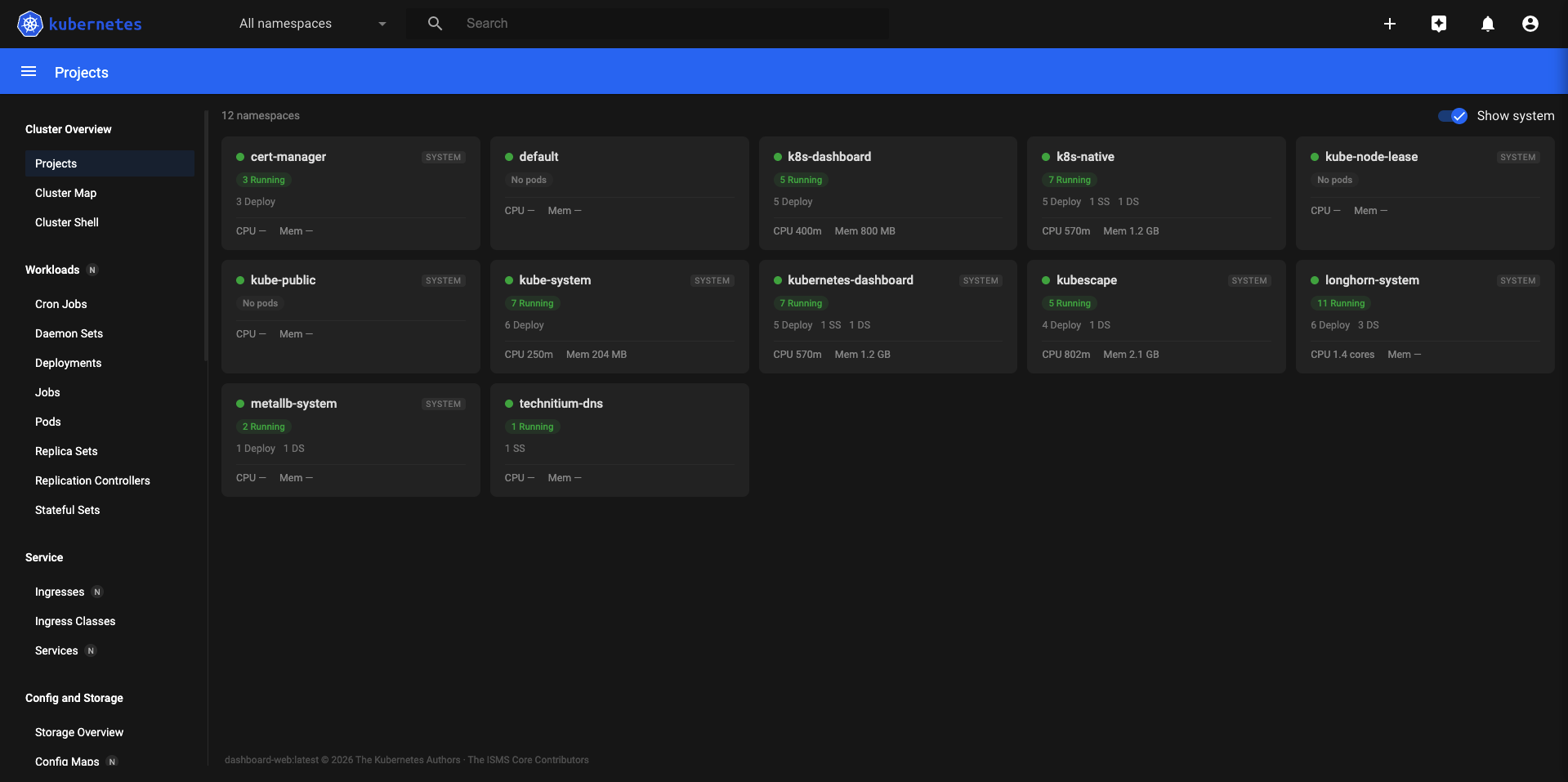
Nine operational views beyond standard resource browsing.
The original Kubernetes Dashboard showed you resources. These nine pages let you act on what you find — security posture, live events, certificate health, resource waste, network topology, and more. All built natively into the dashboard, no extra tools required.
Treats each namespace as a self-contained application project. A card-per-namespace view that summarises workload health, pod counts, CPU and memory totals, and deployment status at a glance — without opening individual resource pages.
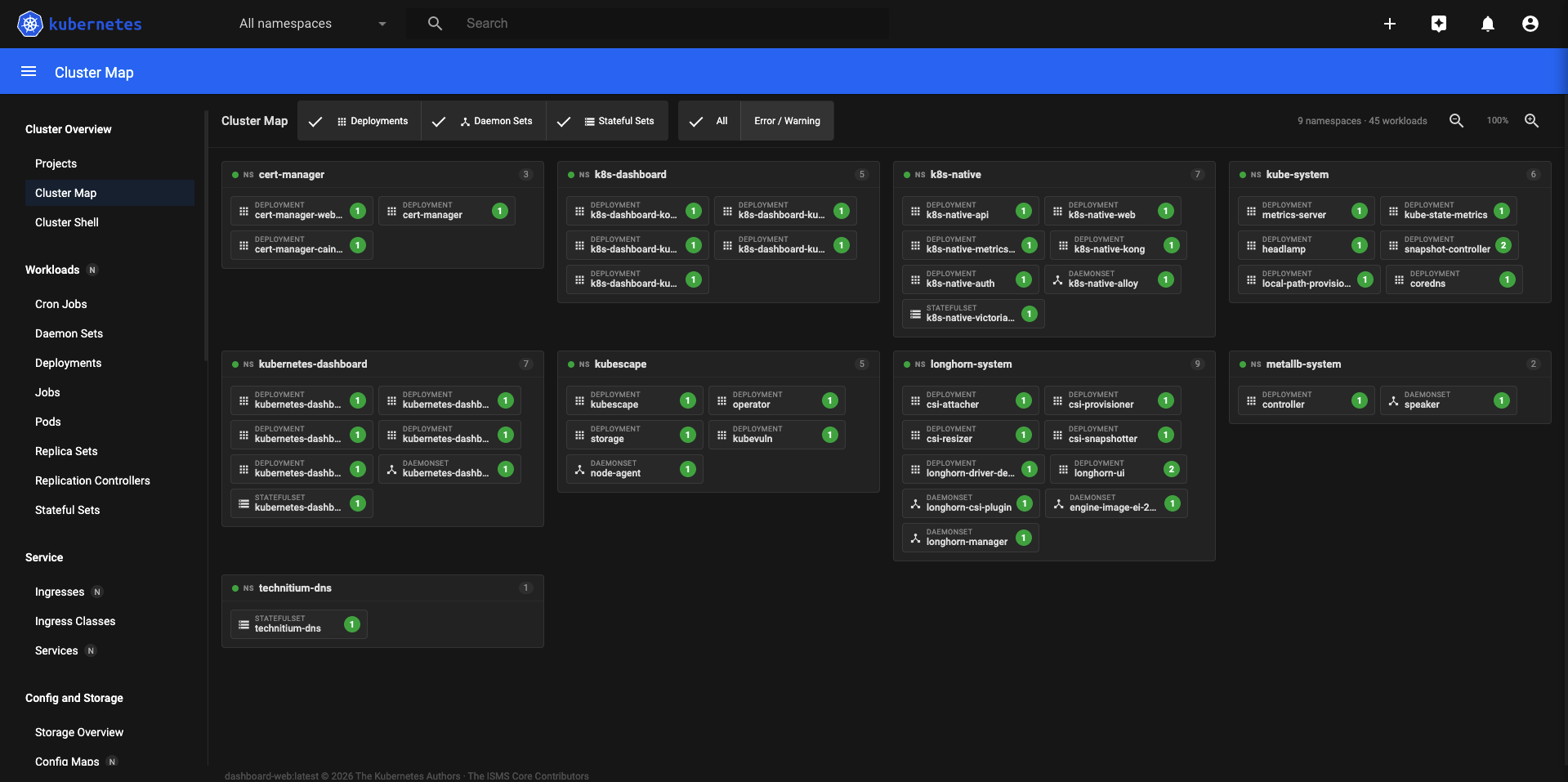
A zoomable, filterable topology view of all namespaces and their workloads. Cards are colour-coded by health state so problem areas stand out immediately. Useful for getting an instant read of cluster state without scanning through lists.
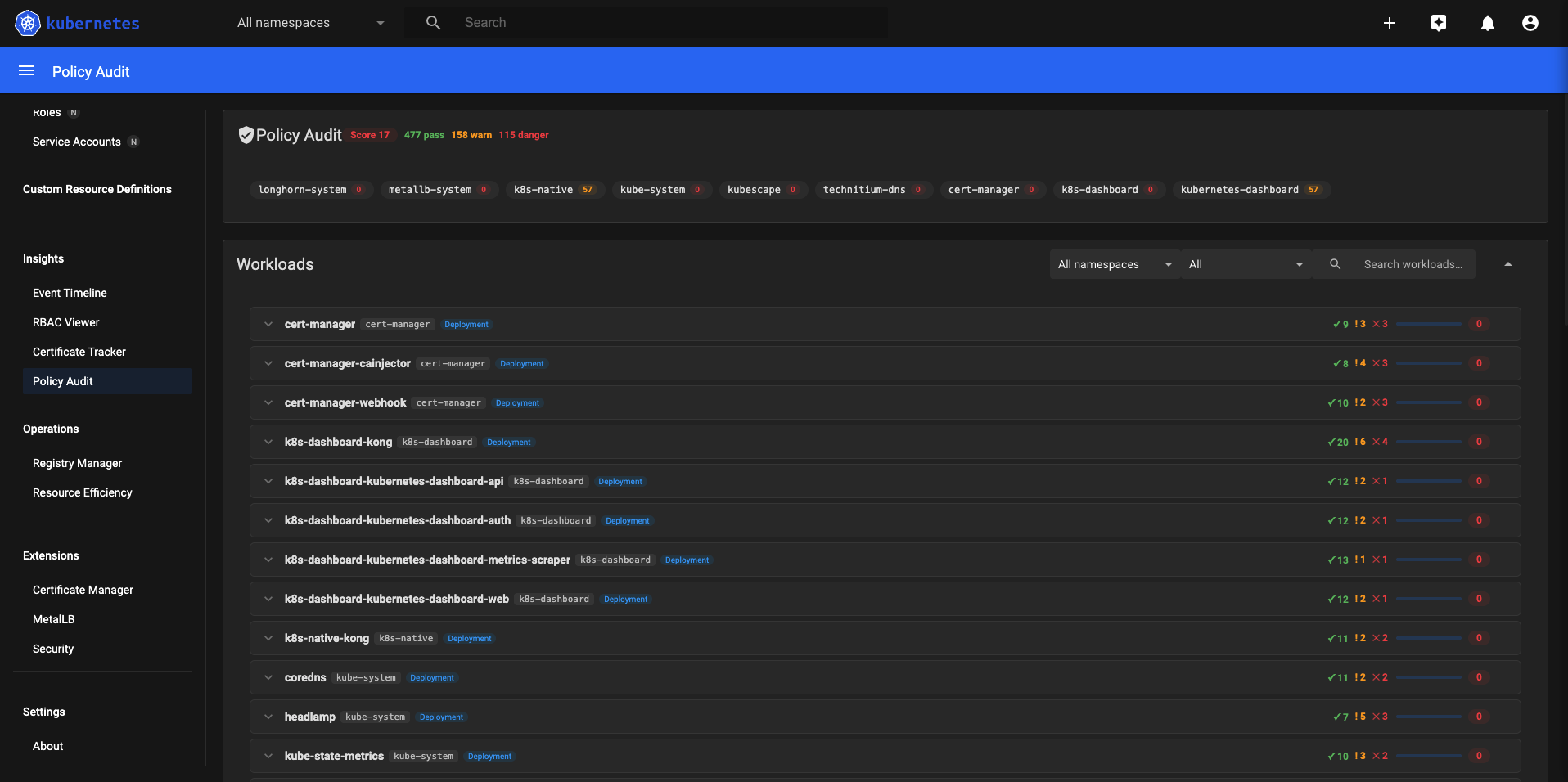
Runs 14 Polaris security checks against every workload in the cluster and produces a 0–100 score per workload. Fails are expandable to show which specific check failed and why — giving actionable guidance, not just a red light.
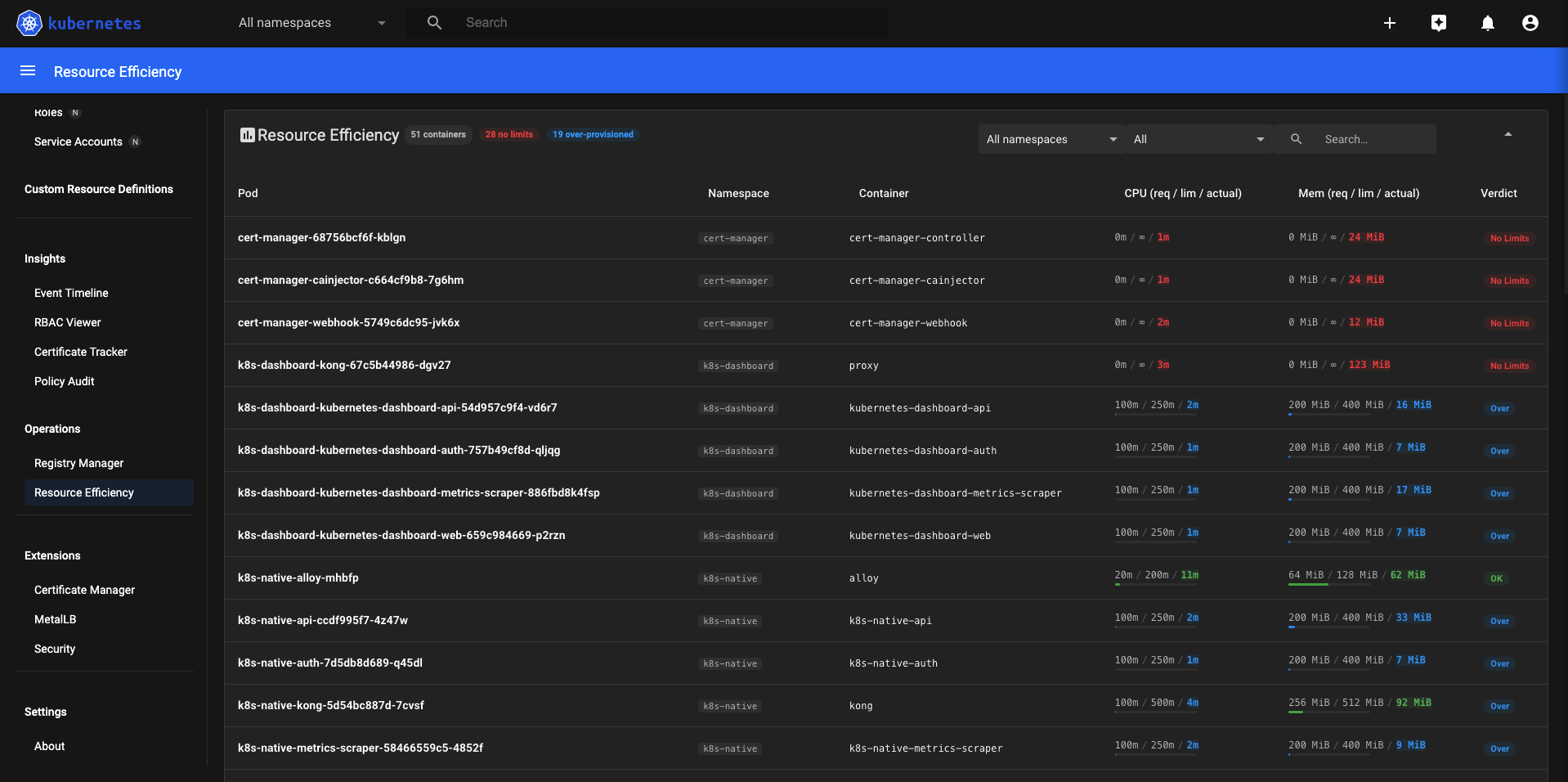
Goldilocks-style view that compares CPU and memory requests against limits and actual usage for every pod. Trend arrows from VictoriaMetrics show whether consumption is stable, rising, or falling. Verdict chips flag over-provisioned and under-provisioned containers.
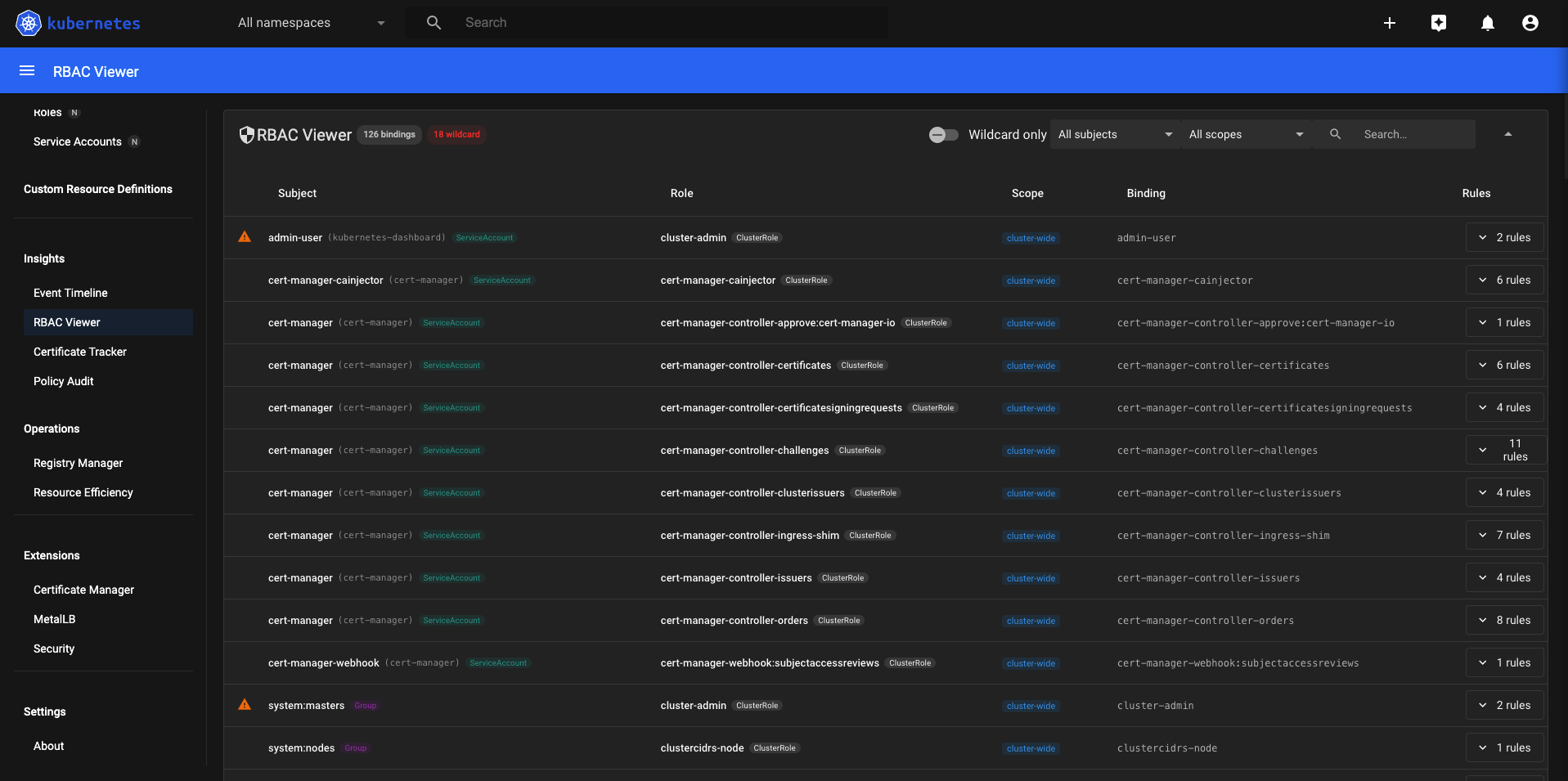
Lists every ClusterRoleBinding and RoleBinding in the cluster alongside the resolved rules — verbs, resources, and API groups. Dangerous bindings with wildcard verbs or resources are highlighted automatically. Useful for access reviews and incident investigations.
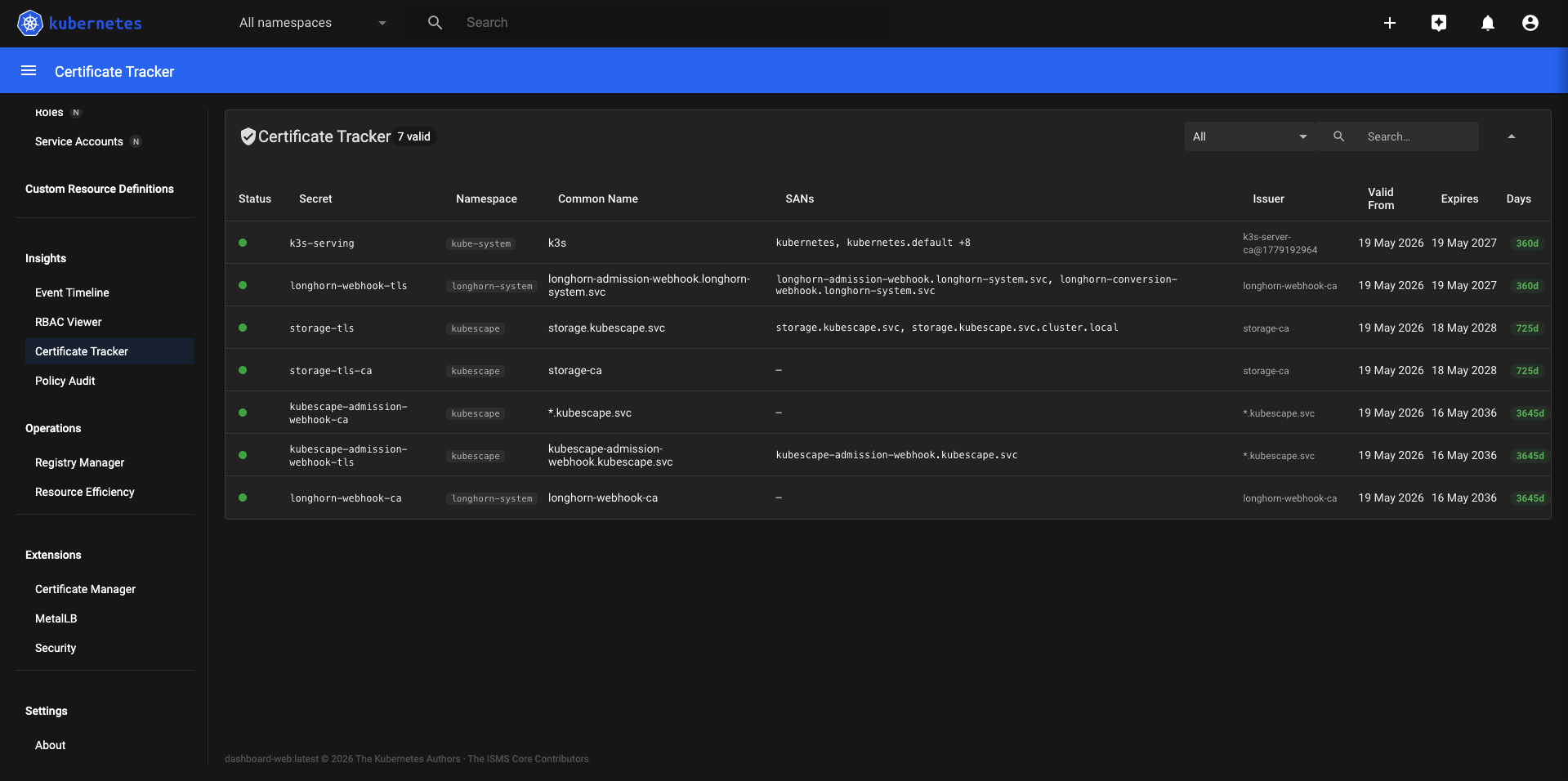
* verbs and * resources are flaggedScans every TLS-type Secret in the cluster and parses it with crypto/x509. Shows common name, SANs, issuer, not-before, not-after, and days remaining — with colour-coded status badges. No cert-manager required; this works on any TLS secret.
kubernetes.io/tls secrets cluster-wide
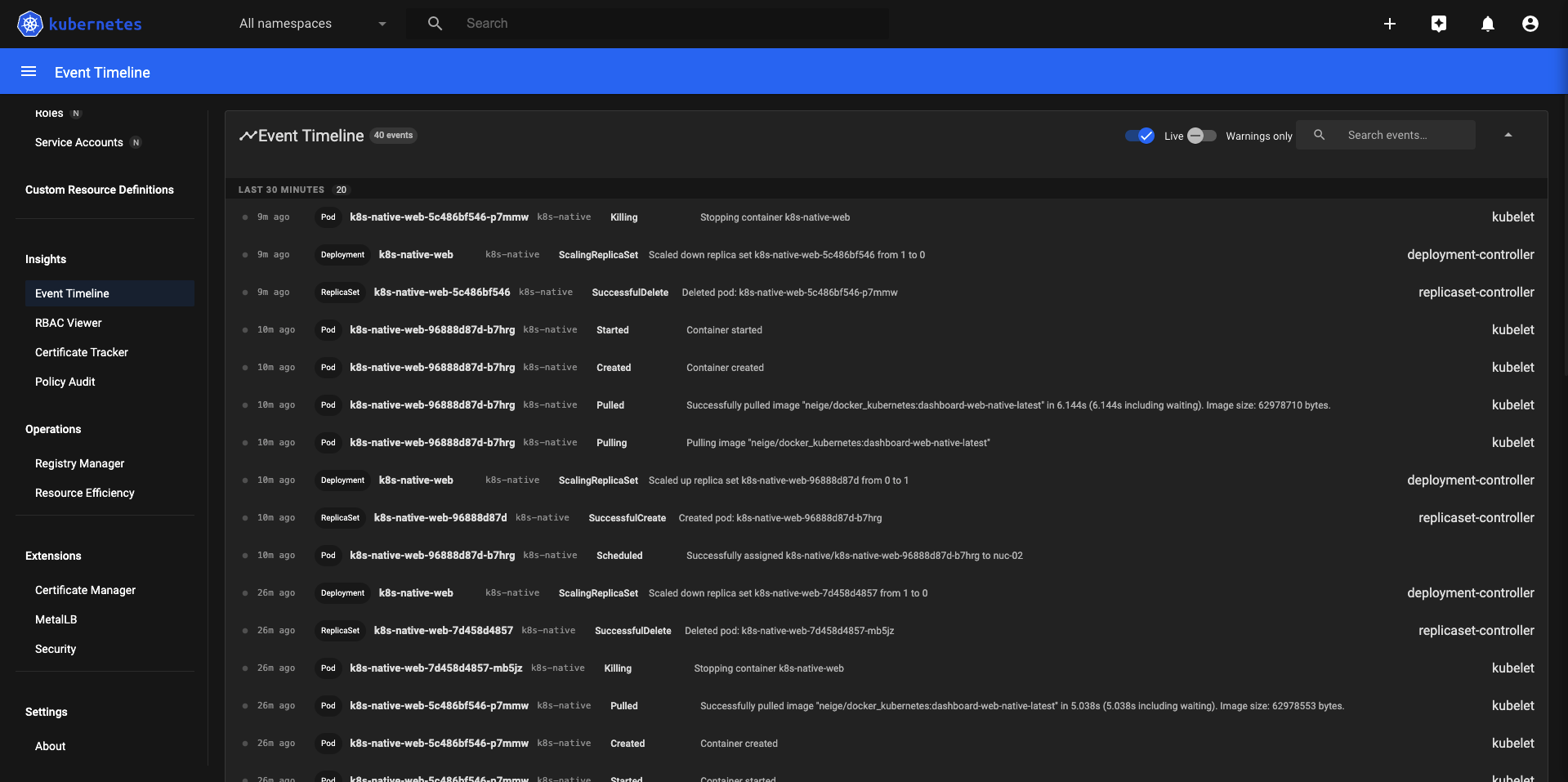
Streams cluster events every 5 seconds and groups them into time buckets. Warning events are highlighted separately from normal events. Useful for watching a rolling deployment, debugging a failing pod, or understanding what happened in the last few minutes on a cluster.
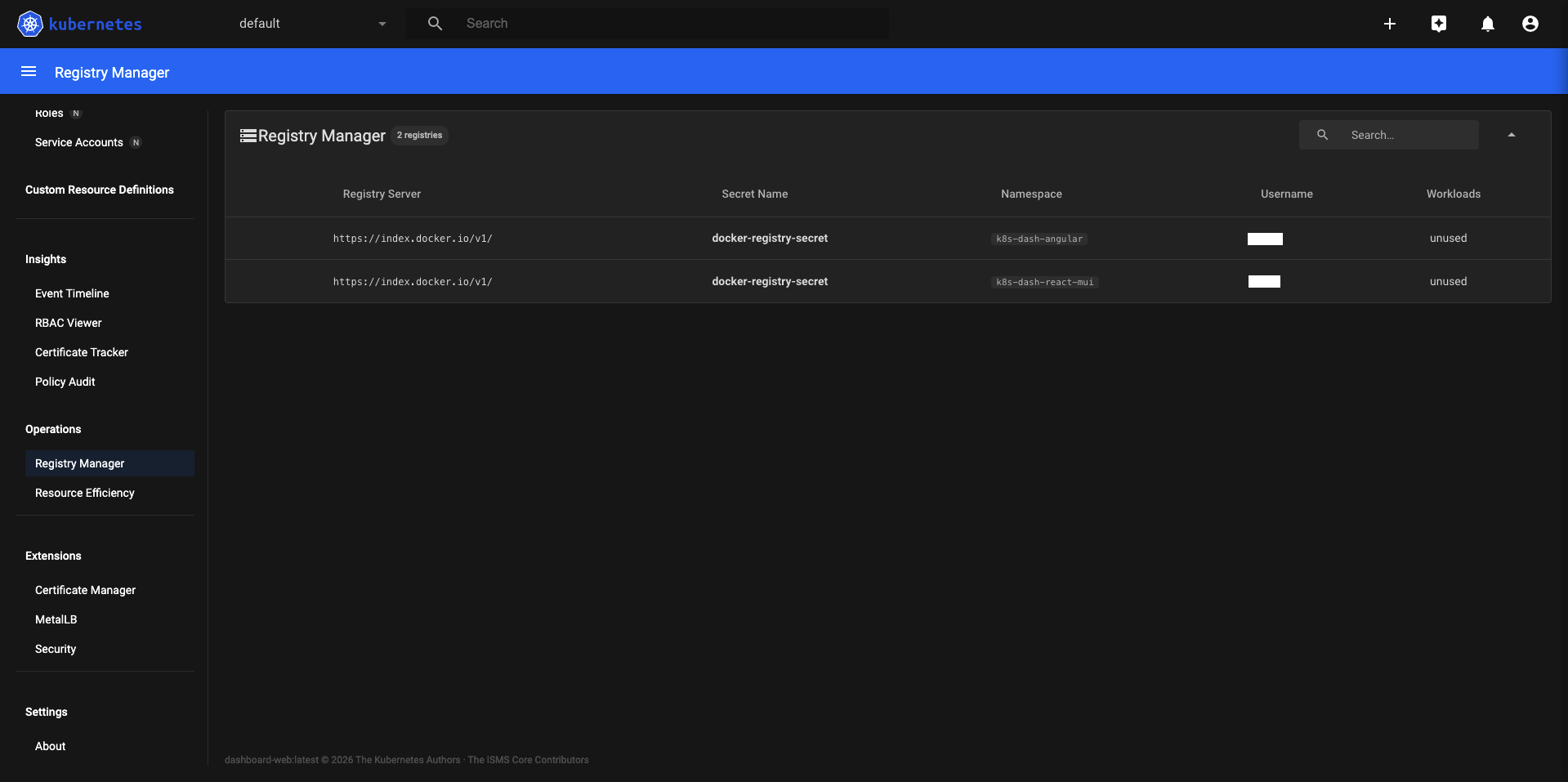
Cross-references every kubernetes.io/dockerconfigjson secret in the cluster against the imagePullSecrets references in pod specs. Surfaces orphaned pull secrets and workloads that reference missing or misconfigured registry credentials before they cause pull failures.
imagePullSecrets fields
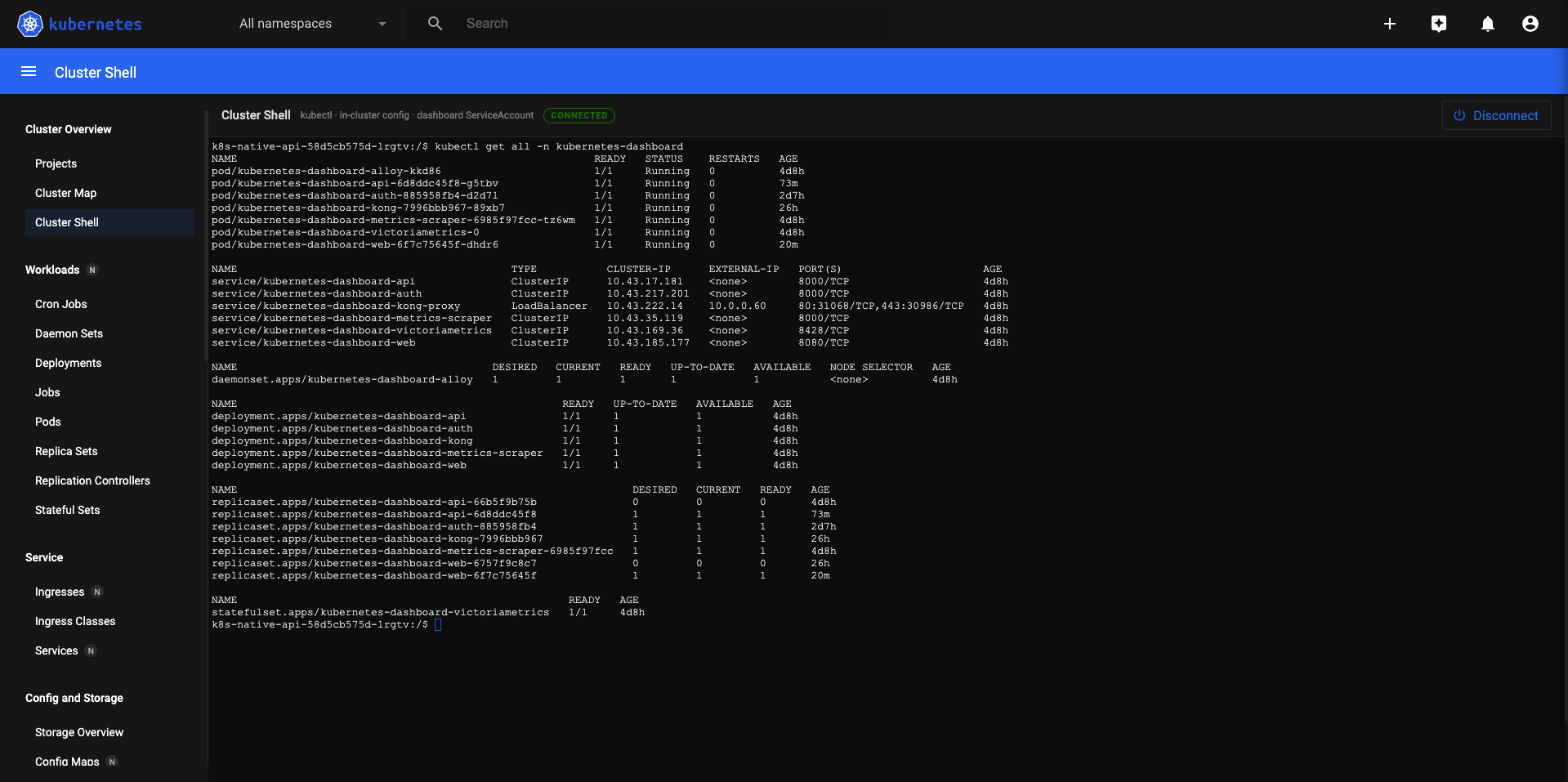
A full interactive terminal powered by xterm.js. Exec into any running pod directly from the browser — no local kubectl, no port-forward, no VPN. The session runs through the dashboard's API server using the logged-in user's JWT, so RBAC applies in full.
Five pods. One kubectl apply. No operators, no Helm, no SaaS accounts.